
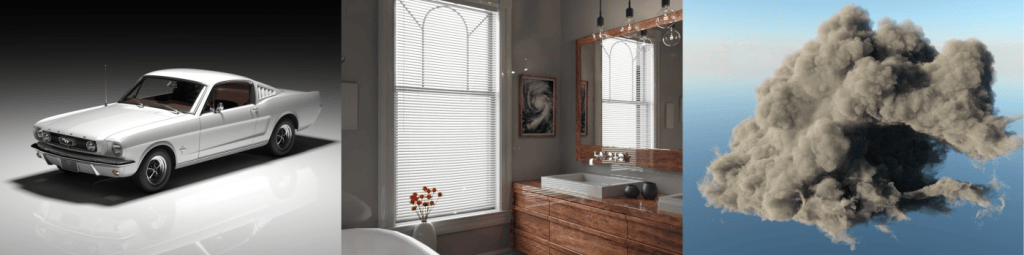
Here is the test I use when I look at a rendering API: does it let me change the renderer without touching the code that describes my scene? If yes, I can move between a CPU ray tracer, a GPU one, or a vendor’s tuned implementation without a rewrite. If no, every renderer choice is a commitment, and that’s a problem: you’re locked into one implementation’s strengths, limits, and platform support for as long as the code lives.
What I mean by “portable”
A few terms, so we’re talking about the same thing:
- ANARI is a Khronos API for describing a 3D scene (cameras, geometry, materials, lights, volumes, and a frame to render into) and asking for an image.
- A device is an implementation of that API. Applications load one (or multiple) at runtime as a shared library.
- By portable I mean one narrow thing: the code that builds your scene doesn’t change when the device does.
I don’t mean “one renderer that runs well everywhere”. CPUs and GPUs have different strengths, and a workstation with RTX hardware and a headless CI machine probably want different renderers. Portability here means you get to pick, per deployment.
The way ANARI makes that possible is by splitting responsibilities. The API specifies only the what (the scene, and when to render it) and leaves the how to the engine behind it. Applications get the same calls everywhere, and engines are free to differ on speed, image quality, hardware, and how big a scene they can handle.
Why does this exist?
Picture a ParaView developer who wants to offer OSPRay, Visionaray, and VisRTX. They have to learn to talk to each engine, which is not a terrible problem to solve once. But Blender has the same problem, and so does VMD, and each of them solves it separately. Draw the lines from every application to every engine and you get a mess, and that’s with only three applications and four engines. The real ecosystem is much bigger.
ANARI is an attempt to make the engines look alike to applications, and to make applications look alike to engines: give an engine a scene and it gives you pixels, without needing to know who is calling it.
Where the time goes without it
Say you want a ray-traced or denoised feature in your application. Today that usually means picking a backend (Vulkan plus a ray tracing path, OptiX, Metal, …), writing its initialization and lifetime handling, translating your scene into its formats, and doing all of it again when someone asks for a platform you didn’t target.
Those APIs exist for good reasons. If you’re writing your own renderer, or drawing your application’s viewport and UI, Vulkan, Metal, and DirectX are the right tools, and ANARI is not a replacement for them. The pain I’m describing is narrower: when what you want is “render this scene, well”, the plumbing can cost more than the feature it serves. That’s my view from working on this, not a measurement.
What the code looks like
Here is the shape of the SDK’s own tutorial (examples/simple/anariTutorial.cpp), trimmed:
anari::Library lib = anari::loadLibrary("helide", statusFunc);anari::Device d = anari::newDevice(lib, "default");// build the scene: this part has no idea which device is loadedauto camera = anari::newObject<anari::Camera>(d, "perspective");auto mesh = anari::newObject<anari::Geometry>(d, "triangle");auto mat = anari::newObject<anari::Material>(d, "matte");/* ... set parameters, commit, assemble world and frame ... */anari::render(d, frame);anari::wait(d, frame);
"helide" is the SDK’s example CPU device (a simple ray tracer that uses Embree). Everything after the first line only talks to d. To use a different implementation, you load a different library name. The SDK’s viewer takes it from the ANARI_LIBRARY environment variable or a -l flag, so the same binary runs against whatever you point it at.
Not every device supports every feature, so the tutorial asks first:
anari::Extensions extensions = anari::extension::getDeviceExtensionStruct(lib, "default");if (!extensions.ANARI_KHR_GEOMETRY_TRIANGLE) printf("WARNING: device doesn't support ANARI_KHR_GEOMETRY_TRIANGLE\n");
That check is the honest part of the story: “portable” doesn’t mean “identical”. It means the differences are queryable instead of discovered in production.
Who is doing this today
You don’t have to take my word that people use it. The SDK README keeps two lists, both maintained by contributors:
- Applications and libraries that embed ANARI include Blender (through the Python add-on in
examples/blender), OVITO, OpenUSD (via thehdAnariplugin), ParaView, VisIt, VTK, Viskores, HayStack, COVISE, and Vistle. Language bindings exist too (pynarifor Python, ANARI-Java). - Device implementations include NVIDIA VisRTX, Intel OSPRay, Visionaray, Cycles, and Barney (an MPI-distributed renderer), alongside the SDK’s own
helide.
What does it look like from the engine side?
Everything so far is the application developer’s view. The same split helps if you write renderers: implement the API once and you can be carried into applications you never planned for.
Barney is my favorite example. Its README describes it as a scalable (and optionally data-parallel) multi-GPU path tracer, primarily for CUDA and OptiX, with MPI for distributed runs. In the talk I gave at HPG 2024, I described how little work it took to run production applications with production datasets on it, in one case a DNS volume on 128 GPUs that a colleague ran, because the applications already spoke ANARI. (That’s from the talk, and I haven’t re-run it for this post.) Several of us, Barney’s maintainers among them, also wrote a paper, “Standardized Data-Parallel Rendering Using ANARI” (IEEE LDAV 2024), about expressing data-parallel rendering through the existing ANARI API. Read it for details, not my summary.
Things that help while you’re building
Portability also pays off before you ship:
- Validation. The SDK ships a debug device that wraps another device and checks your usage (object subtypes, parameters, properties, lifetimes) against what the wrapped device reports. For example,
ANARI_LIBRARY=debug ANARI_DEBUG_WRAPPED_LIBRARY=helide ./anariViewerruns the viewer through it. It can also write out a code trace. - No-GPU CI. The
sinkdevice accepts the full API and renders nothing (itsrenderFrameis empty), so you can exercise your scene-building code on a machine with no rendering hardware. It’s a smoke test, not a correctness test. - Conformance. The SDK’s conformance test suite (
cts/) renders test scenes and compares candidate output to reference images with SSIM and PSNR. That’s how “this device supports X” gets checked against something other than a claim.
Where portability stops
Portability solves a real problem, but it isn’t free, and I’d rather be upfront about the limits:
- ANARI describes what to render, so you give up fine control over how. If you need your own shaders, a custom acceleration structure, or tight integration with your frame loop, a lower-level API is the right call.
- A feature you need may not be in the spec yet, or may be supported by one device and not another. Check the extension list before you design around it.
- Portable output isn’t bit-identical output. The CTS compares images with SSIM and PSNR against thresholds (defaults of 0.70 and 20 dB, configurable per test and per channel) for a reason.
- ANARI only renders frames. It isn’t trying to be a scene description or interchange format, so it isn’t a replacement for something like USD. The closest comparison is talking to a single render delegate in Hydra, which is where
hdAnarisits. Scene management stays with your application, or with a scene graph like USD.
Try it
If you build something that renders 3D scenes and the “which renderer?” question keeps coming back, I’d start with the tutorial:
- Build the SDK (or
vcpkg install anari) with thehelidedevice enabled (BUILD_HELIDE_DEVICE=ON) and runanariTutorial. It’s about 240 lines, mostly scene setup. - Run the viewer against
debugwrappinghelide, and see what it tells you. - If you have another device installed, point
ANARI_LIBRARYat it and compare.
Then tell me where it breaks down for your application. A missing feature, a confusing error, or a device that doesn’t behave like the others: I’d like to hear about it. You can file an issue on the SDK repo or reply to the post.
If you’d like to get more involved, the spec and the SDK are developed in the open on GitHub, and you don’t need to be a Khronos member to file feedback on either one. To take part directly in the Working Group, your organization joins Khronos. If you’d rather give input on the spec without joining, Khronos also has an ANARI Advisory Panel, which is free but invitation-only. The Khronos ANARI page is the place to start.
Until next time, happy rendering!
Links
- ANARI-SDK: https://github.com/KhronosGroup/ANARI-SDK
- Specification: https://www.khronos.org/registry/ANARI/
- Tutorial source: anariTutorial.cpp
- Debug device: src/devices/debug
- Conformance test suite: cts
- Khronos ANARI page: https://www.khronos.org/anari/
- Barney: https://github.com/NVIDIA/barney
- “Standardized Data-Parallel Rendering Using ANARI” (paper, IEEE LDAV 2024): https://arxiv.org/abs/2407.00179
- Talk video, “Portable and Scalable 3D Rendering Using ANARI” (HPG 2024): https://youtu.be/0vKXuwdPVRE
- Talk slides, “Portable and Scalable Rendering with ANARI” (HPG 2024): PDF
- Application and implementation lists: SDK README, “ANARI-enabled applications” and “(Unofficial) list of actively developed ANARI implementations”

